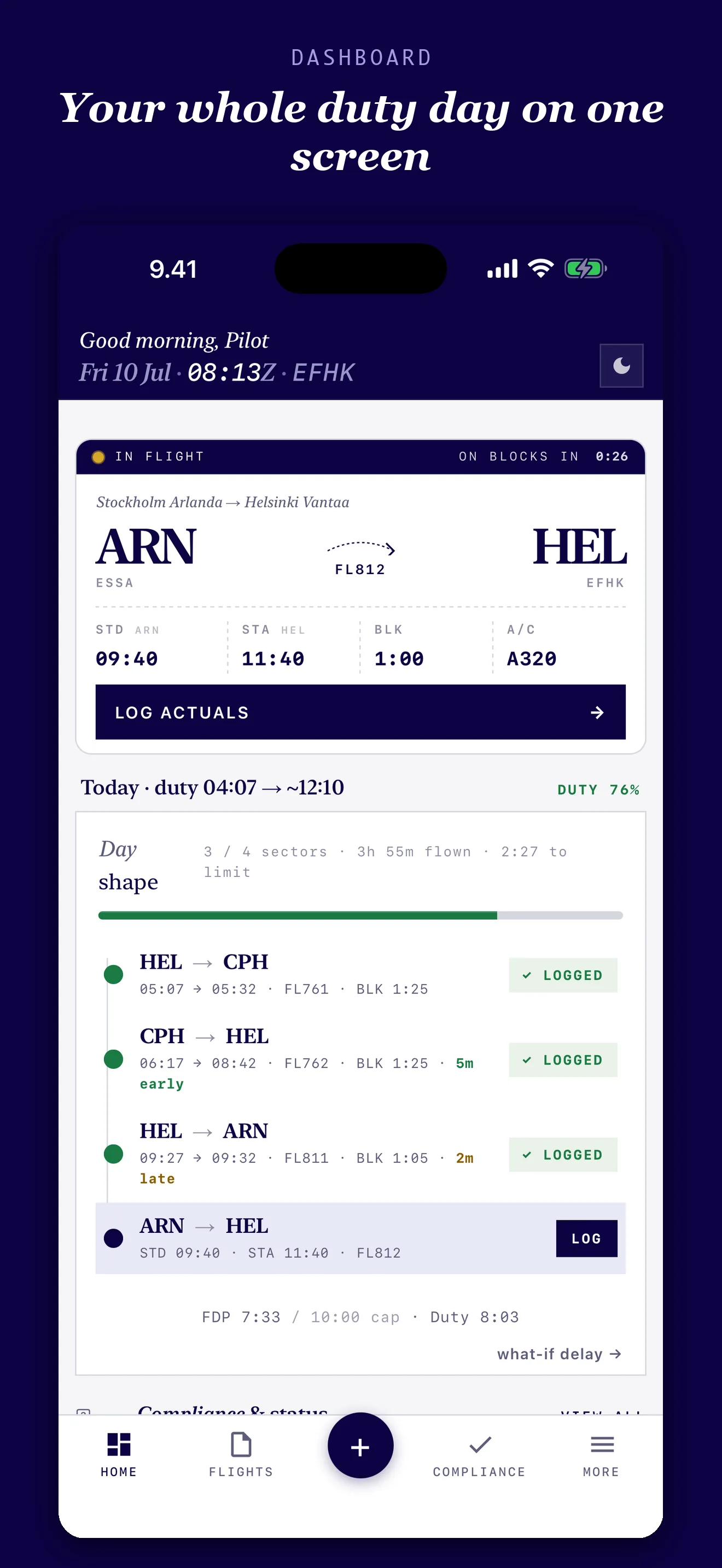
As an airline pilot, I built Logbird around the realities of the job: flights logged between sectors, changing rosters, and duty days that involve more than block time. Log flights quickly, see your whole duty day, and keep your flying history together.
Personal logbook — not a regulatory record. Always maintain your official logbook as required by your operator and national authority. See Terms of Use §4.
Already have years of flights in another app? Start with those records instead of entering them again.
Logbird imports CSV, TSV and supported spreadsheet exports from the logbooks listed here. Some formats are recognised automatically; others need column mapping. Importing an airline roster is a separate feature.
File not importing? Email your export to support@logbird.fi. We'll convert it to a Logbird-ready format for free and send it back to you.
Get free import help →Send a copy, keep your original, and check the imported flight totals and details. Emailing a file shares it with our support team; see our Privacy Policy.
CSV, TSV, XLS and XLSX where the source app offers them. Compatibility depends on the export version and columns present; always review the preview.
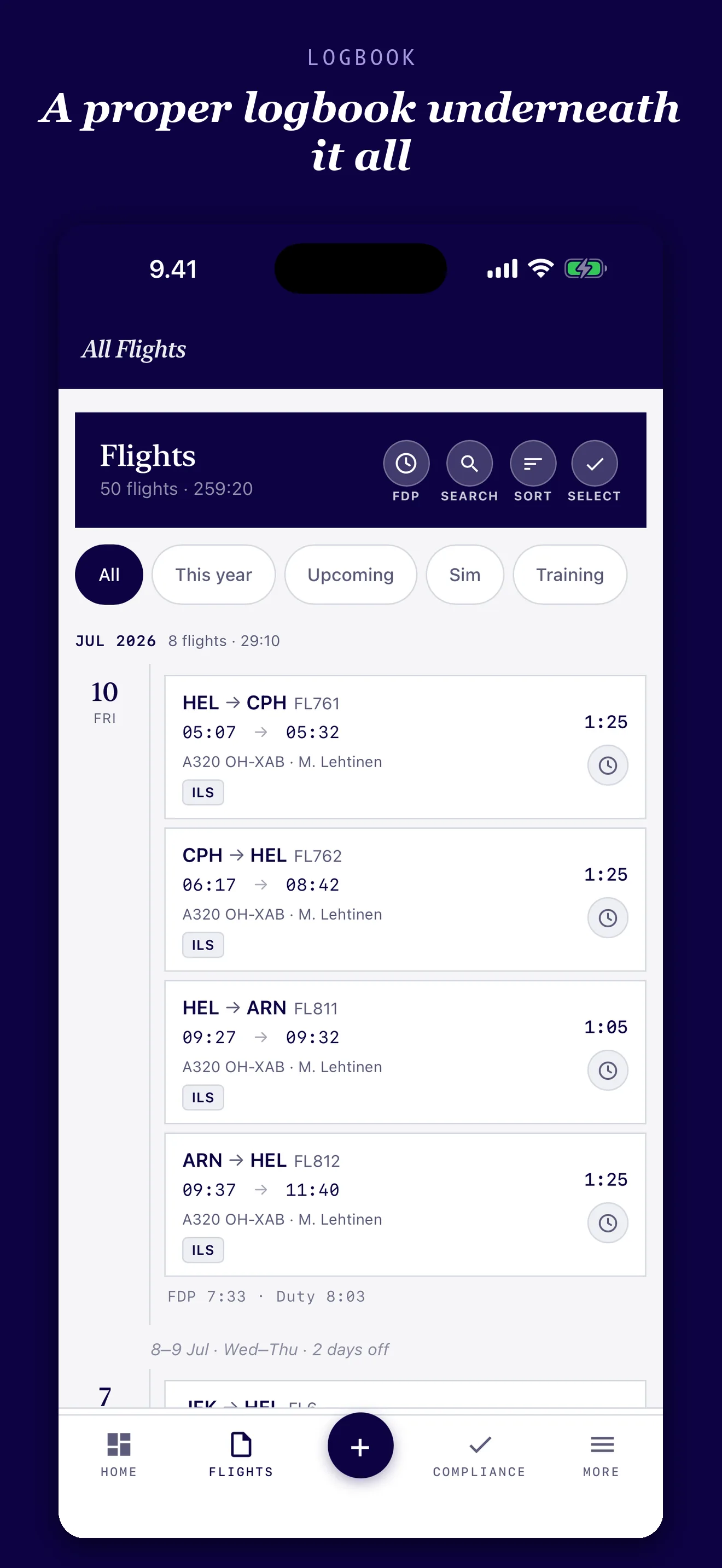
Log your flights the way you always have — Logbird works out duty, block, night, Sunday and overtime hours behind the scenes, for any airline, without a payroll feed.
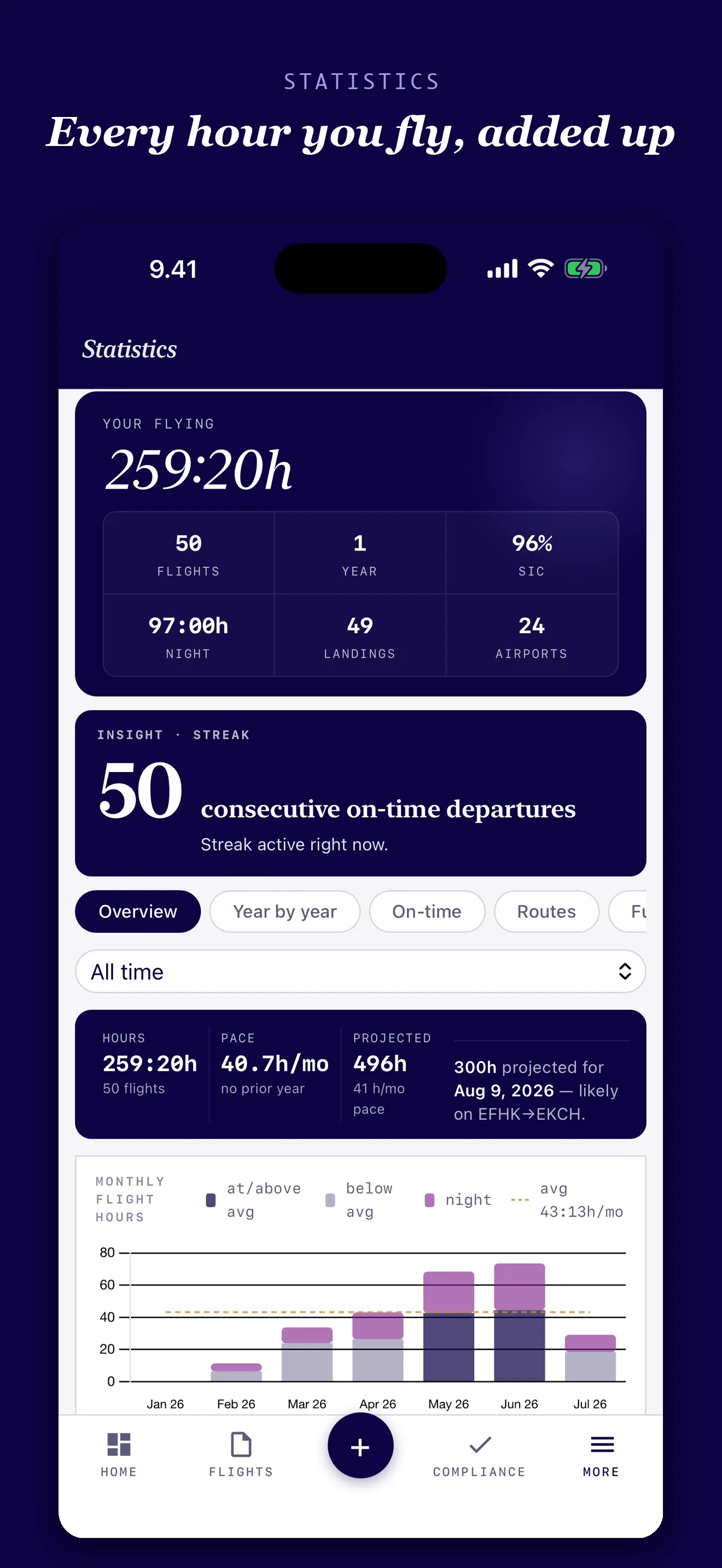
See your duty hours broken down by month or year, with charts that show how you're tracking against your own patterns over time.
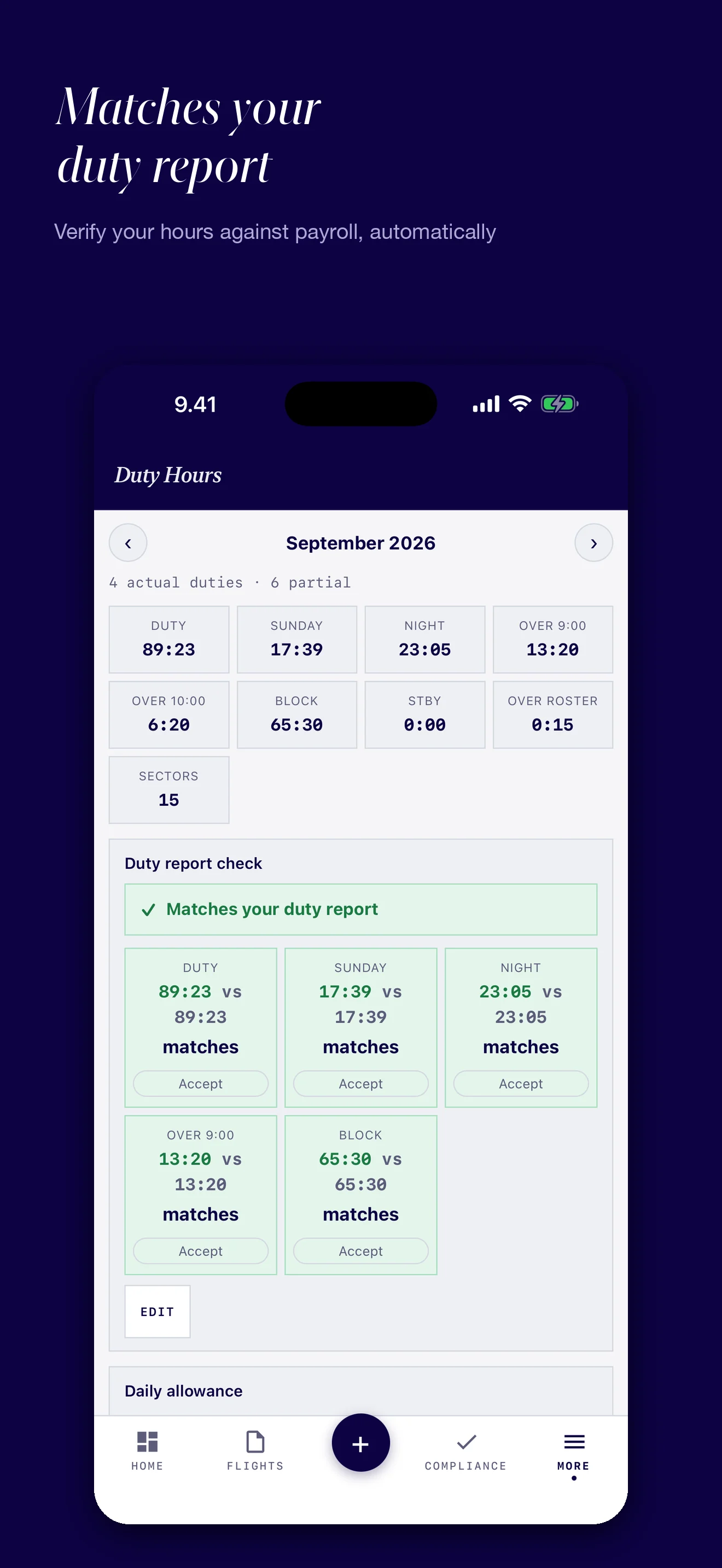
Paste in or describe your operator's own duty report and Logbird automatically diffs it against what it calculated from your logbook — so discrepancies jump out.
Log standby, deadheading, and ground service or training days alongside your flights, so your duty picture is complete — not just the sectors you flew.
Track daily allowances using the country-specific rates you set, so your expense records keep pace with your roster.
Compare Logbird's calculated duty, night, block and other tracked hours with your operator's report. Review any differences before relying on the figures.
The comparison is based on the flights and duties you have recorded and the rules you configure.
Logbird is designed to be useful during the trip — not just when you update your records at the end of the month.
Logbird was built by a working airline pilot. Its core logbook works across operators; roster formats and duty rules depend on your airline and agreement, so review imported duties and configure your own rules.
Beyond duty hours, Logbird handles the day-to-day of keeping a logbook current, backed up, and ready to hand over when you need it.
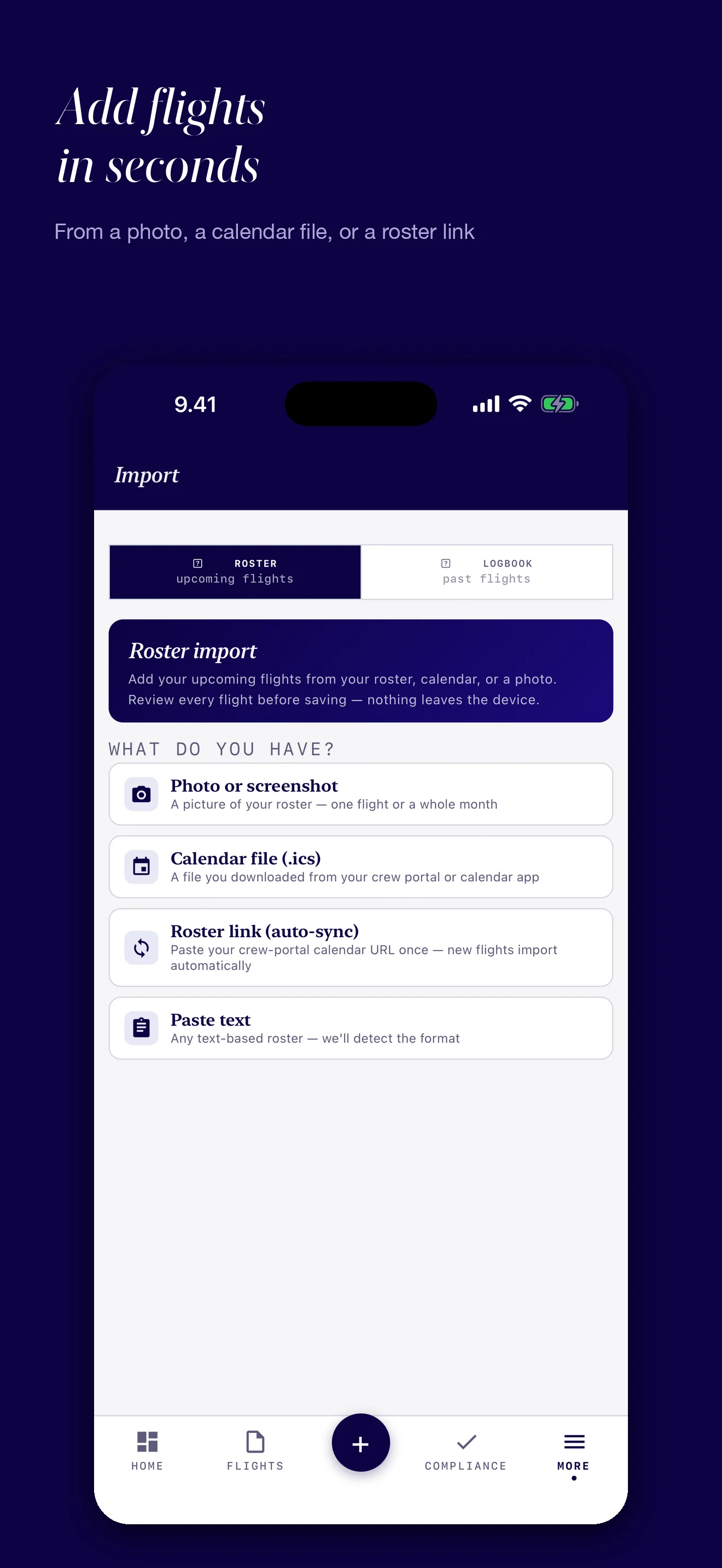
Import a roster from ICS or CSV, pasted text, a photo or PDF. If your airline provides an ICS subscription link, opt in to Roster Sync for updates from its crew portal.
Export your schedule to your calendar, or export your real logged times to cross-check your records. CSV and JSON backup stay available; formatted PDF and Excel exports are Premium.
Your logbook syncs across your own devices via your iCloud Drive — nothing is ever uploaded to a Logbird server.
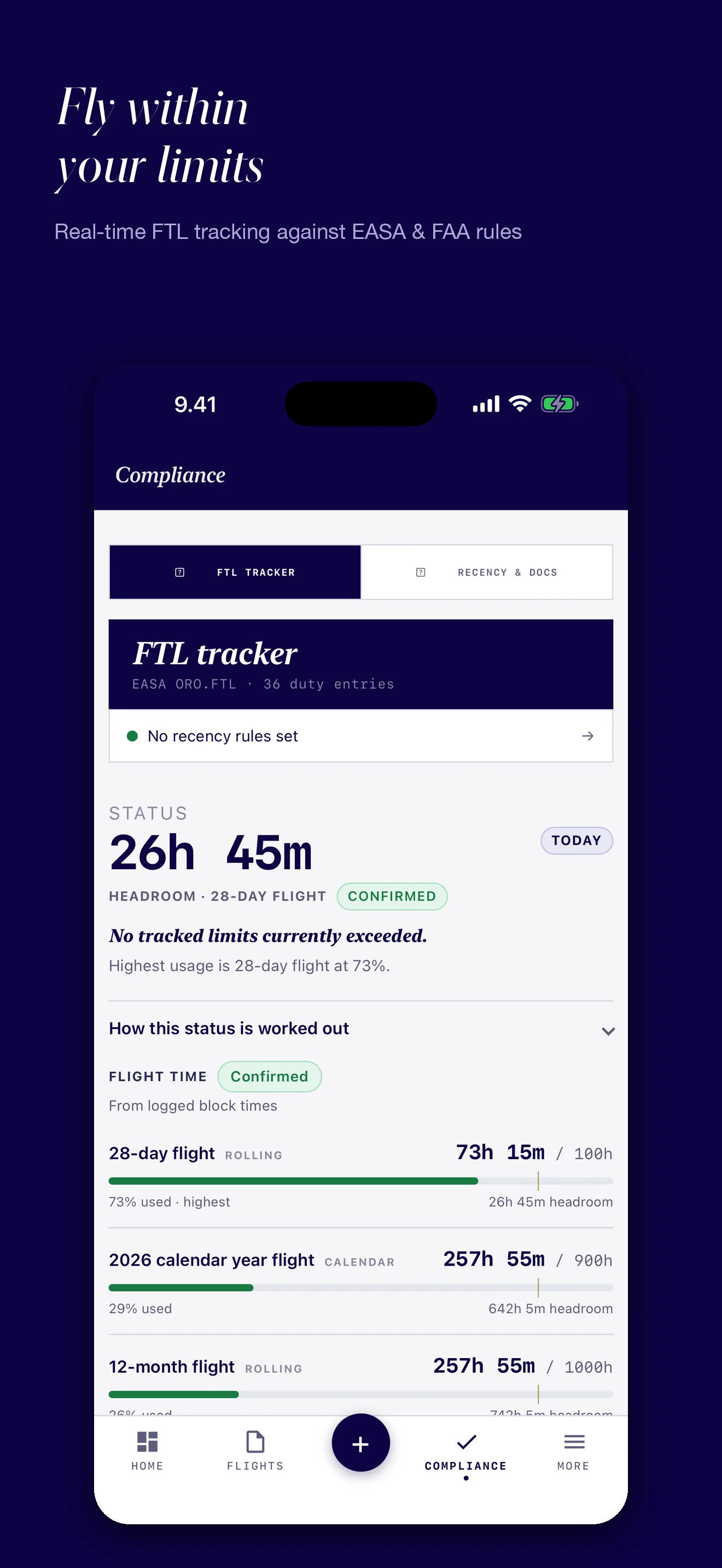
The FTL tracker shows recorded flight time against selected limits and explains where each figure comes from. It helps you spot gaps and check your own records.
For information only. Confirm operational decisions against your operator's procedures and applicable rules.
Logbird brings the everyday pilot tools together without turning your flight history into a closed system.
Work from your phone or iPad. Check duty and FDP information on Apple Watch, with a lock-screen duty timer and Live Activity on iPhone.
Review rolling flight-time limits, your own recency rules and document expiry reminders. These are informational tools, not operational approval.
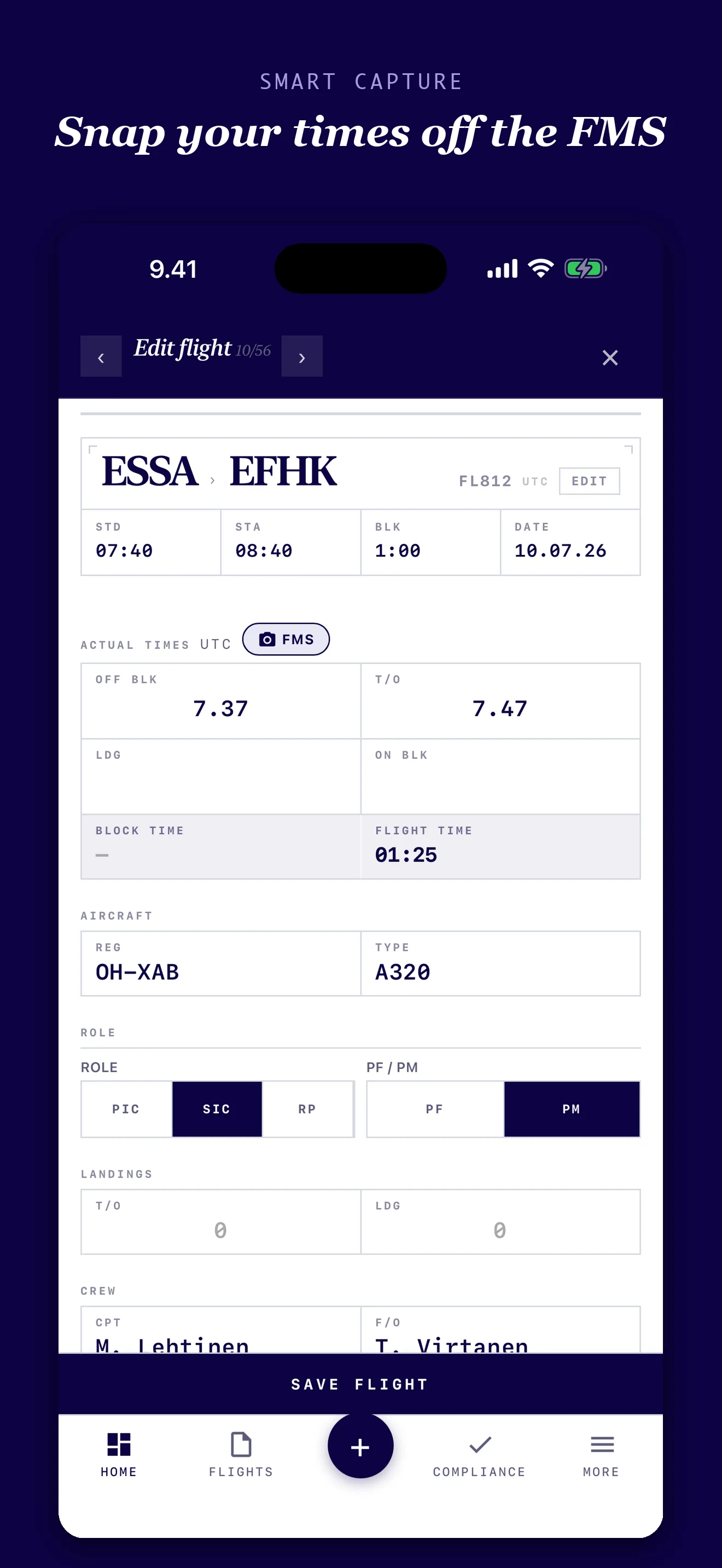
Use the camera-assisted flight entry flow to bring actual off-block, takeoff, landing and on-block times into your record.
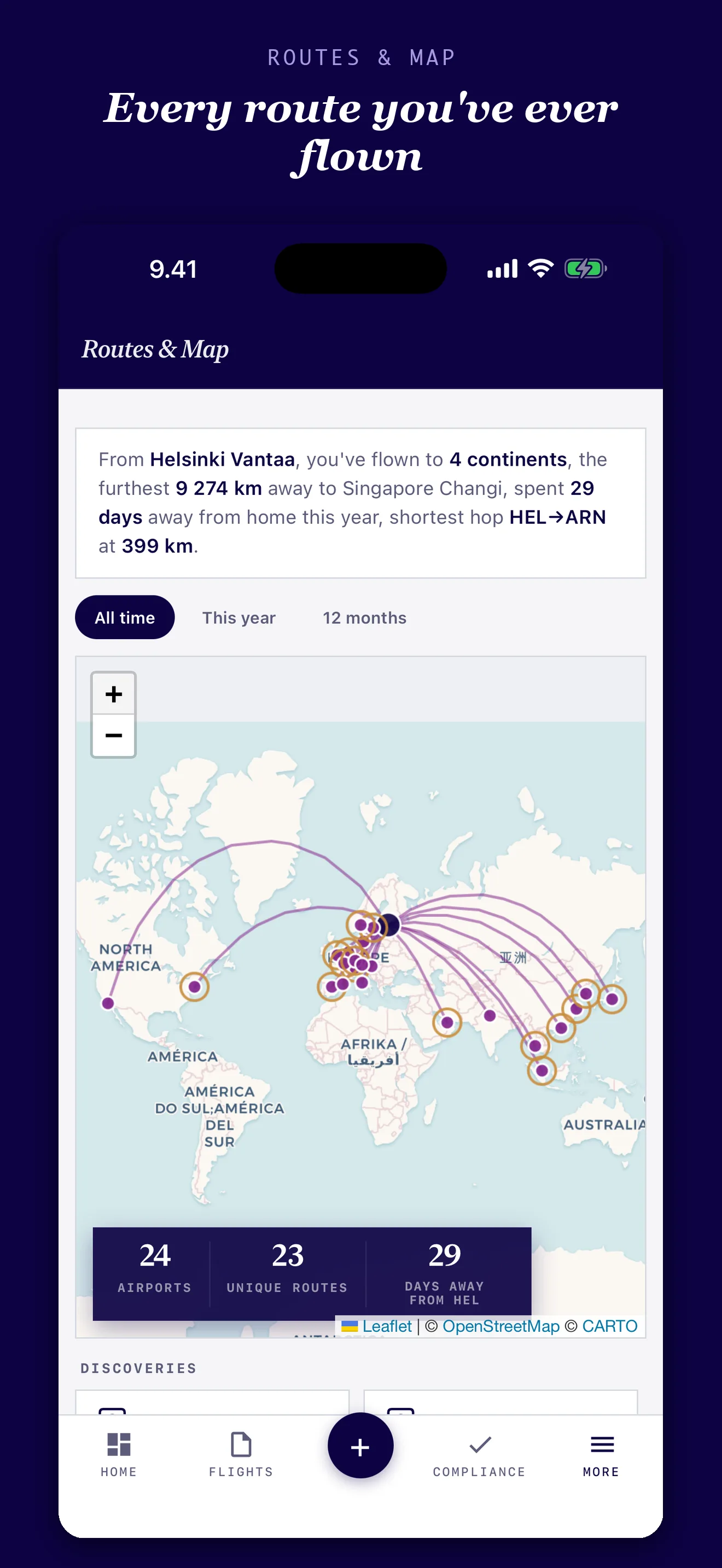
Explore the routes you've flown, the airports you've visited, aircraft history and the people you've worked with — all from your own entries.
Every entry becomes part of a searchable, visual record of your hours, aircraft, airports, routes and people — while the underlying logbook stays ready to export.
Your data stays useful and portable. Logbird works offline, syncs through your own iCloud Drive and lets you export your records whenever you need them.
I fly the line for a major airline, and like most pilots I've kept a logbook one way or another for years — spreadsheets, PDFs, apps clearly built by people who've never stood at a gate with ten minutes before boarding trying to log a flight.
Logbird is what I wanted instead: fast enough to fill in between sectors, considered enough that opening it doesn't feel like a chore, and serious enough underneath to actually work out duty, night and overtime hours the way my own roster does — not just log block time and call it done.
It's built for daily use, not just the one week a year you renew a licence — dark mode for red-eyes, per diem that keeps pace with a busy roster, and a logbook you can back up and take with you. I built it for the way pilots actually work.
Full access lasts 14 days from your first logged flight, not from install. This is an evaluation, not a subscription trial: nothing charges automatically when it ends.
Keep using the basic logbook, CSV export and JSON backup without subscribing. Premium unlocks unlimited flights and advanced tools.
Cancel any time at least 24 hours before renewal in Settings → Apple ID → Subscriptions.
One payment unlocks Premium for the lifetime of the app on your Apple ID.
Prices shown are EUR developer references — Apple sets the actual price for your App Store region. All purchases and refunds are handled by Apple.
Logbird is not certified by any aviation authority and is not a substitute for your operator's or national authority's official logbook. It's a personal tool for tracking your own hours, currency, and duty. FDP and FTL calculations are informational and do not model every operator rule; always verify against your OM-A and maintain your official records. See Terms of Use §4 for details.
The short version. For app how-tos and troubleshooting, see the full Support page.
14 days of full access from your first flight. Then stay free for up to 50 flights or choose Premium. No automatic charge.
Download on the App StoreQuestions, bug reports, feature requests — send a message and we'll get back to you.
Thanks — we'll get back to you within 2 business days.